
Download WorksWell – Free Mac Layout & Design Tool
Overview
WorksWell is a lightweight, trial‑version application designed specifically for macOS users who need a fast, reliable way to create and illustrate documents. Positioned in the Design & Photography category under Layout & Printing, this software has been part of our catalog since 2006 and has accumulated over 5,300 downloads. Although the latest download count shows zero activity, the tool remains a solid option for anyone looking for a simple, secure, and free‑to‑try design app on a Mac.
The current version, 2.9, was last updated on June 9 2006, which means it runs smoothly on classic Mac OS X as well as more recent releases, provided the system meets the modest hardware requirements. WorksWell’s small installation footprint makes it an attractive alternative to bulkier design suites, especially for students, freelancers, or small businesses that need to produce flyers, brochures, and simple illustrations without investing in expensive software. Its intuitive interface, combined with a set of essential layout tools, enables users to focus on creativity rather than fighting a steep learning curve.
Because it is a trial version, you can evaluate the full feature set before deciding whether to purchase the full license. The app is offered in English and is distributed as a free download, ensuring that cost is never a barrier to getting started.
Key Features of WorksWell
- Drag‑and‑Drop Canvas: Arrange text boxes, images, and vector shapes on a flexible canvas with real‑time snapping guides.
- Rich Typography Controls: Access a library of macOS‑native fonts, adjust kerning, leading, and apply stylistic sets without leaving the workspace.
- Vector Illustration Tools: Simple pen, line, and shape tools let you create custom icons or decorative elements directly inside the document.
- Layer Management: Organise content into layers, lock or hide layers, and reorder them with a single click for complex layouts.
- Export Options: Save your finished work as PDF, PNG, or JPEG with preset resolution settings for print or web use.
- Template Library: Choose from a handful of pre‑designed flyer and brochure templates to jump‑start your design process.
- Color Palette Integration: Import swatches from Adobe Swatch Exchange (ASE) files or create custom palettes on the fly.
- Undo/Redo Stack: Unlimited undo and redo steps let you experiment fearlessly.
- Lightweight Installation: Requires less than 50 MB of free disk space, making it ideal for older Mac machines.
- Secure Trial Mode: No hidden telemetry; the trial version runs in a sandboxed environment to protect your data.
While WorksWell does not boast the exhaustive toolset of industry‑heavyweights like Adobe InDesign, its curated feature list is precisely what most small‑scale designers need. The emphasis on speed, simplicity, and a clean macOS‑native aesthetic makes it a handy app for quick document creation, especially when you need to meet tight deadlines or work on a machine with limited resources. Because it is a trial version, all premium features are fully unlocked during the evaluation period, allowing you to gauge whether the workflow suits your regular projects before committing to a purchase.
Installation, Usage & Compatibility
Step‑by‑Step Installation Guide
1. Download the Installer: Click the “Download WorksWell” button on the product page. The file is delivered as a compressed .dmg package, optimized for macOS.
2. Mount the Disk Image: Double‑click the .dmg file. macOS will open a new window showing the WorksWell application icon and a shortcut to the Applications folder.
3. Copy to Applications: Drag the WorksWell icon onto the Applications shortcut. This copies the app to /Applications and registers it with Launchpad.
4. Verify Security Settings: Because the app is from an identified developer, you may need to approve it in System Preferences → Security & Privacy → General. Click “Open Anyway” if a warning appears.
5. Launch the Program: Open WorksWell from Launchpad or the Applications folder. The first launch will prompt you to accept the trial license agreement.
Getting Started with the Interface
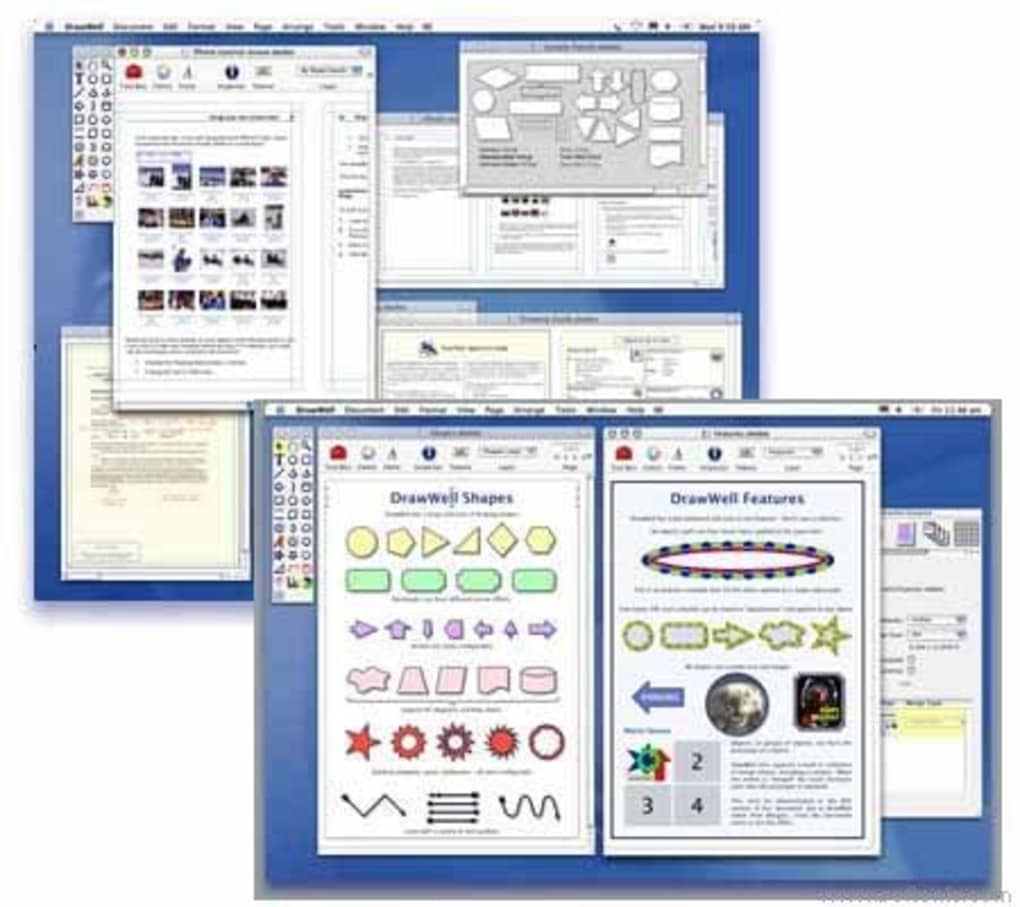
Upon opening, you are greeted with a clean workspace consisting of a toolbar at the top, a layers panel on the right, and a blank canvas in the center. The toolbar houses the most frequently used tools: Selection, Text, Shape, Pen, and Image Import. To start a new document, choose File → New or use the shortcut ⌘N. You will be asked to set page dimensions (A4, Letter, Custom) and orientation. WorksWell remembers your last used settings, streamlining repetitive tasks.
Importing assets is straightforward—drag an image file from Finder directly onto the canvas, or select File → Import. Once placed, you can resize, rotate, or apply a mask using the transformation handles. Text boxes are created by clicking the “T” icon and clicking on the canvas where you want the text to appear. The typography panel lets you adjust font family, size, color, and paragraph spacing. All changes are reflected instantly, which helps you visualise the final output while you work.
Compatibility Details
WorksWell runs on macOS 10.4 Tiger and later, including the current macOS Ventura (13.x) as long as the system meets the minimum RAM requirement of 2 GB and has at least 50 MB of free disk space. Because the software is built on native Cocoa frameworks, it enjoys seamless integration with macOS features such as Dark Mode and Retina displays. Users on older PowerPC‑based Macs can also install the application, though performance may be slower due to the limited processing power of legacy hardware.
The trial version does not require an internet connection after installation, which makes it ideal for secure environments where network access is restricted. All document files are saved locally in the user’s Documents folder, and you can export them to external drives or cloud storage services manually.
Pros & Cons – A Balanced Look
Advantages of Using WorksWell
- Extremely lightweight; occupies less than 50 MB on disk.
- Native macOS experience with smooth animations and Retina support.
- Free trial provides full access to all features without hidden costs.
- Simple, uncluttered interface that shortens the learning curve.
- Robust export options suitable for both print and digital publishing.
- No telemetry or background data collection, ensuring user privacy.
- Compatibility with older Mac OS X versions, extending the life of legacy hardware.
- Layer‑based workflow that mimics professional design tools.
Potential Drawbacks to Consider
- Last software update was in 2006; lacks modern UI refinements.
- Feature set is limited compared to premium alternatives like Adobe InDesign.
- No built‑in cloud sync; users must manage file backups manually.
- Only available for macOS; no Windows, Linux, Android, or iOS versions.
- Trial period length is not explicitly defined, which may cause uncertainty.
WorksWell delivers a surprisingly capable design environment for a free Mac‑only trial. Its simplicity is its strongest asset, making it perfect for quick flyers or basic illustrations. While the lack of recent updates means it may feel dated next to modern UI‑heavy apps, the core functionality remains solid and reliable.
Frequently Asked Questions (FAQ)
Is WorksWell really free to download?
Yes, the trial version of WorksWell can be downloaded at no cost. It provides full access to all features for the trial period, after which you may choose to purchase a license if you need continued use.
What macOS versions are supported?
WorksWell runs on macOS 10.4 (Tiger) and later, including modern releases such as macOS Ventura (13.x). It also works on older PowerPC‑based Macs, though performance may be slower.
Can I import Adobe Photoshop files (.psd) into WorksWell?
WorksWell does not natively support .psd files. However, you can export your Photoshop layers as PNG or JPEG and then import those images into WorksWell for further layout work.
Is there any cloud backup or syncing feature?
No, WorksWell does not include built‑in cloud syncing. Users need to manually back up their files to iCloud, Dropbox, or any other cloud storage solution of their choice.
How do I purchase the full version after the trial?
If you decide to continue using WorksWell after the trial, you can purchase a license directly from the developer’s website. The purchase page provides a secure checkout and will email you an activation key.
Conclusion & Call to Action
WorksWell stands out as a free, secure, and lightweight design tool that caters specifically to macOS users who need a quick solution for document layout and basic illustration. While it lacks the advanced capabilities of premium suites, its ease of use, minimal disk footprint, and native Mac integration make it an excellent choice for students, freelancers, and small businesses on a budget. If you are looking for a no‑cost way to produce flyers, brochures, or simple graphics without the overhead of large software packages, downloading WorksWell today is a sensible first step. Remember to take advantage of the free trial to explore all its features before deciding on a purchase. Click the button below to start your download and experience a streamlined design workflow on your Mac.
Download WorksWell Free Trial






